The week changes.
Make your call with context.
A ranking is only part of the story. Put your league, injuries, matchups and an AI copilot together before you set the lineup—and know what informed the call.
No credit card to browse. Explore rankings first or read the privacy policy.
2,726rosterable NFL players in the database
Ratings you can inspectFormula and stat inputs are visible in the app
0leagues synced
The context behind the call
From scattered signals to a clearer decision.
Make the call with context
Ask AI Copilot about starts, sits, waivers, and trades using your synced roster and week.
See what fits your league
League-aware analytics put rankings, waivers, and lineup decisions in the context of your settings and roster.
Keep pace with the season
Live projections, dynasty values, and player ratings give you current context for the next decision.
Prepare for lineup changes
Injury watch shows live status and depth-chart impact where you set lineups.
Ask a better question
Work through the call before you make it
Illustrative AI Copilot exchange — not a live recommendation or verified player data. In the app, ask about your synced roster.
Copilot
Jaylen Waddle · WR, MIA
Check his current role, health, and matchup before choosing.
Jameson Williams · WR, DET
Compare his upside with the same current-week context.
The next step: Compare their current roles and injury status alongside your other lineup options before making the call.
See the evidence
What it looks like inside
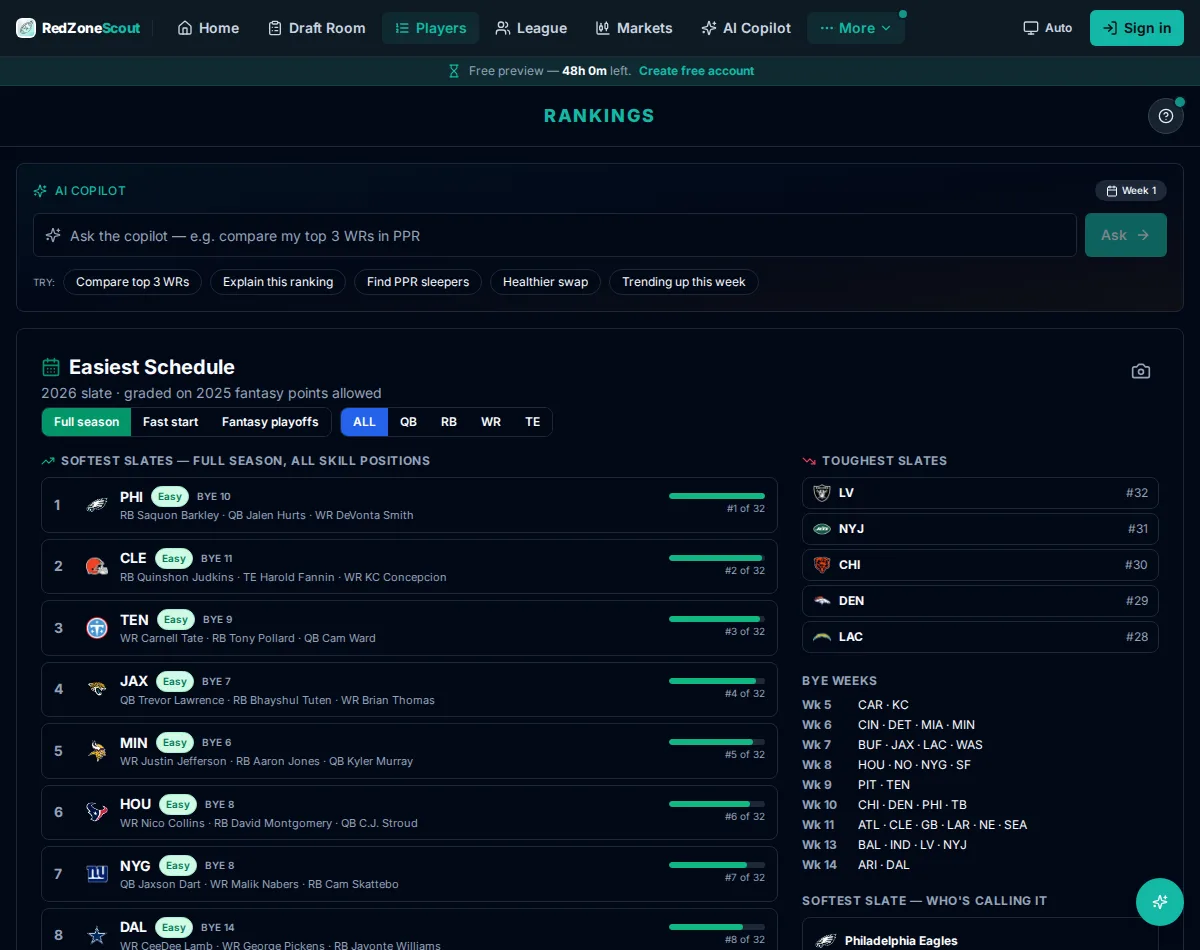
Less tab-switching. More time to prepare.
Keep rankings, trade context, waivers, and injury updates in one workspace. Spend less time piecing together tabs and more time checking the details that matter in your league.
“Why is this player ranked here?”
Inspect an APEX rating's formula and inputs before you make your call.
“Who should I check on waivers?”
Review injury and depth-chart context alongside available players.
“What about the bye weeks?”
Use the bye planner on the rankings board to prepare ahead.
Keep your prep together
Rankings, trades, waivers, and injury watch are in one workspace — less copy-pasting as you prepare.
Explore before you commit
Browse the full board, player pages, and live data without a credit card. Want more tools? see pricing.
Make it about your league
Live league context, rosters, matchups, standings, drafts, transactions, and available players across Sleeper and Yahoo Fantasy NFL, with lightweight ESPN scores and standings.
Frequently asked questions
Is RedZone Scout free?
Browsing is free — the full player board, rankings, and live data need no credit card. The Standard Season Pass ($20 one-time, through Week 17) unlocks advanced ratings, full trade and dynasty analysis, and all AI Scout tools. Enterprise ($29.99/mo) adds commissioner tools and five seats — cancel anytime.
Which fantasy platforms does RedZone Scout support?
Sleeper and Yahoo Fantasy NFL work side by side, including multiple Yahoo accounts. ESPN leagues can also be linked for a read-only standings and scores view.
How are APEX player ratings calculated?
Every rating is computed from real inputs — season production, market consensus, dynasty and age context, draft capital, and depth-chart role with current injury status. Tap any rating in the app to see its formula and the exact stat inputs behind it.
Do I need an account to see the rankings?
No. Rankings and player pages are open to browse. An account is only needed to connect your Sleeper league, save plans, and use the AI copilot.
Does RedZone Scout work on mobile?
Yes — RedZone Scout runs in any browser on your phone or desktop, and your plans and copilot history sync across devices. A native iOS app is in the works.
Feel prepared for the next call
Come to the week prepared
Check rankings, injury status, and the bye planner before you set your lineup.
Keep up when things change
Use injury status and depth-chart context to revisit your lineup decisions.
Make calls you can explain
Inspect APEX rating formulas and inputs so you can share the reasoning behind a decision.
Your next move
Start with the evidence.
Then make it your call.
Bring your league context, rankings, and injury updates together. Prepare your calls with evidence you can inspect.